




Introduction
Choosing the right software can feel overwhelming, especially with so many SaaS (Software as a Service) tools available today. In many cases, businesses don’t struggle because of a lack of tools—but because they choose the wrong ones.
For example, a small business might invest in a complex platform with advanced features they never use, while overlooking simpler tools that could solve their immediate needs. This article will help you make smarter, more practical decisions when selecting SaaS tools, especially if you are just starting or scaling an online business.
What Are SaaS Tools? (Core Concept)
SaaS tools are cloud-based software applications that you access through the internet instead of installing them on your computer.
Instead of buying software once, you usually pay a subscription fee. This allows businesses to:
Access tools from anywhere
Get regular updates automatically
Scale usage as they grow
Common examples include email marketing platforms, CRM systems, project management tools, and analytics software.
How SaaS Tools Work

SaaS tools operate through cloud infrastructure. This means:
You sign up online
You log in through a browser
Your data is stored securely in the cloud
For example, instead of installing software like traditional systems, a business can use an online platform to manage customer relationships or marketing campaigns.
In many cases, SaaS tools also integrate with each other. For instance, an email marketing tool can connect with a CRM or a website builder.
Types of SaaS Tools for Businesses
Understanding categories helps you avoid choosing unnecessary tools.
1.Marketing Tools
Email marketing platforms
Social media management tools
Marketing automation systems
2.Productivity Tools
Task management apps
Collaboration platforms
Note-taking tools
3.Sales & CRM Tools
Customer relationship management systems
Lead tracking tools
4.Analytics Tools
Website analytics
User behavior tracking
Each category serves a different purpose. One common mistake beginners make is trying to use one tool for everything without understanding its limitations.
Real-World Use Cases
Let’s look at how businesses actually use SaaS tools:
A blogger uses an email tool to build a subscriber list
A startup uses project management software to coordinate remote teams
An online store uses analytics tools to understand customer behavior
For example, a small business might start with just three tools:
Website builder
Email marketing platform
Analytics tool
As the business grows, it can expand its stack gradually.
Popular SaaS Tools (Explained Simply)
Instead of listing many tools, let’s look at a few well-known examples and how they are used.
1.Notion
What it does: All-in-one workspace for notes, tasks, and collaboration
Best for: Individuals and small teams
Strength: Flexibility
Limitation: Can become complex if overused
2.HubSpot
What it does: CRM and marketing automation platform
Best for: Growing businesses
Strength: Powerful automation features
Limitation: Can be expensive as you scale
3.Mailchimp
What it does: Email marketing and automation
Best for: Beginners and small businesses
Strength: Easy to use
Limitation: Limited advanced features on free plans
These tools solve different problems. The key is not choosing the “best tool,” but the right tool for your needs.
Comparing SaaS Tools: How to Decide
Simple vs Advanced Tools
Simple tools: Easier to use, faster setup
Advanced tools: More features, but require learning
For example, a beginner may benefit more from a simple email tool rather than a complex automation platform.
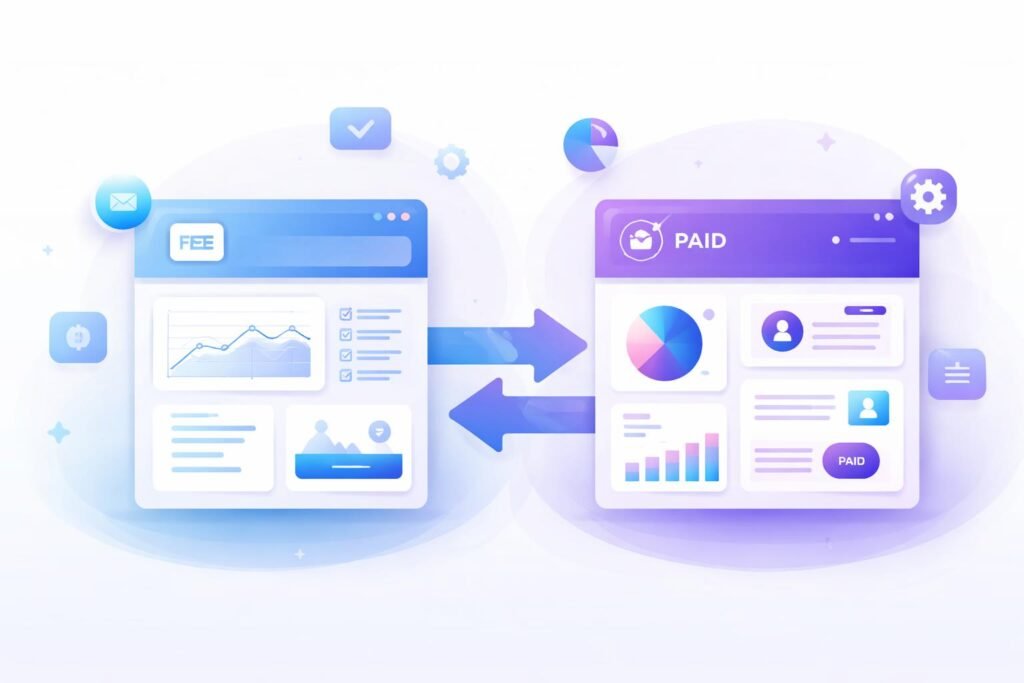
Free vs Paid Tools
Free tools: Good for starting
Paid tools: Better for scaling
In many cases, free tools have limitations such as:
restricted features
limited users
branding
All-in-One vs Specialized Tools
All-in-one platforms: Convenient but less flexible
Specialized tools: More powerful for specific tasks
For example:
An all-in-one platform may handle marketing + CRM
A specialized tool may outperform it in one specific area
Benefits and Limitations of SaaS Tools
Benefits
Easy access from anywhere
Scalable as your business grows
No installation required
Regular updates
Limitations
Monthly costs can add up
Dependence on internet connection
Learning curve for complex tools
One common mistake beginners make is subscribing to too many tools too early, which increases costs without clear value.
Common Beginner Mistakes
1.Choosing tools without a clear goal
Many beginners pick tools because they are popular, not because they need them.
2.Overcomplicating the tech stack
Using too many tools can create confusion instead of efficiency.
3.Ignoring integrations
Tools that don’t work well together can slow down workflows.
4.Focusing on features instead of usability
A tool with many features is not always better if it’s hard to use.
Practical Tips for Choosing SaaS Tools
Start with your business goals, not the tool
Choose tools that are easy to learn
Test free versions before committing
Focus on scalability
Prioritize tools that integrate well
For example, if your goal is to grow an audience, start with:
email marketing
content tools
Not advanced automation systems.
Future Trends in SaaS Tools
SaaS tools are evolving quickly, especially with AI integration.
Some key trends include:
AI-powered automation
No-code and low-code platforms
Better integration between tools
Personalization features
In many cases, tools are becoming smarter and easier to use, which is good news for beginners.
FAQ
1.How many SaaS tools should a beginner use?
Most beginners only need 2–4 tools to start. Focus on essentials like email marketing, analytics, and content creation before adding more complex systems.
2.Are free SaaS tools enough for small businesses?
Yes, in many cases free tools are enough to start. However, as your business grows, you may need paid plans for advanced features and scalability.
3.What is the most important factor when choosing a SaaS tool?
The most important factor is whether the tool solves your specific problem. Ease of use and scalability should also be considered.
4.Should I use all-in-one platforms or separate tools?
It depends on your needs. Beginners often benefit from all-in-one tools, while growing businesses may prefer specialized tools for better performance.
5.How do I know if a SaaS tool is worth the cost?
Evaluate the value it brings to your workflow. If it saves time, improves efficiency, or helps generate revenue, it is likely worth the investment.
Conclusion
Choosing the right SaaS tools is not about finding the most popular platforms—it’s about finding what works best for your business.
In many cases, simple and practical tools outperform complex systems that are difficult to manage. By focusing on your needs, testing tools carefully, and avoiding common mistakes, you can build a tech stack that supports your growth without unnecessary complexity.
The goal is not to use more tools—but to use the right tools effectively.